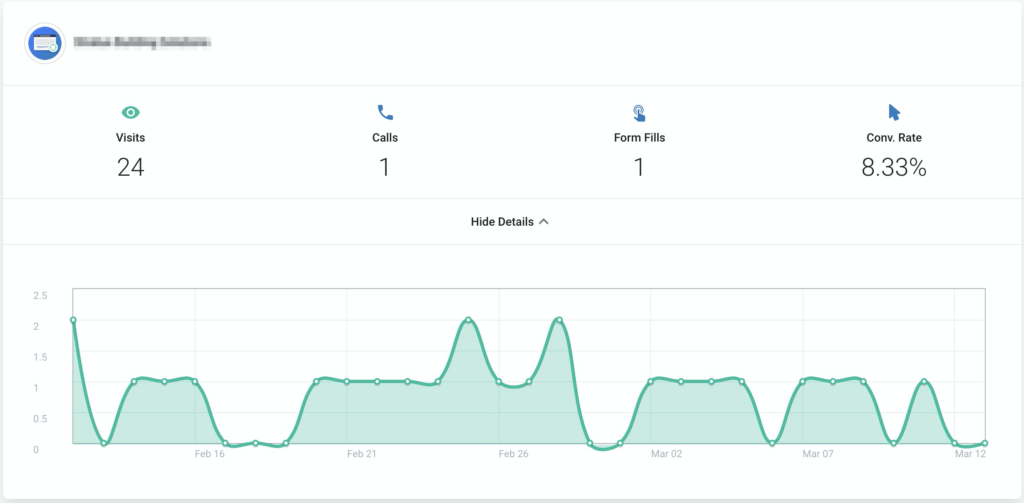
Below are the steps required to add a custom tracking link to any third party marketing channels so that activity form that source is pulled into the Twyzle dashboard. For example if you wanted to tell how many people visited your Twyzle page from an email link you simply modify the link URL using the steps below. The tracking will also give details on any conversions that take place on the site.
Step 1.
Navigate to the integrations page for the relevant campaign:
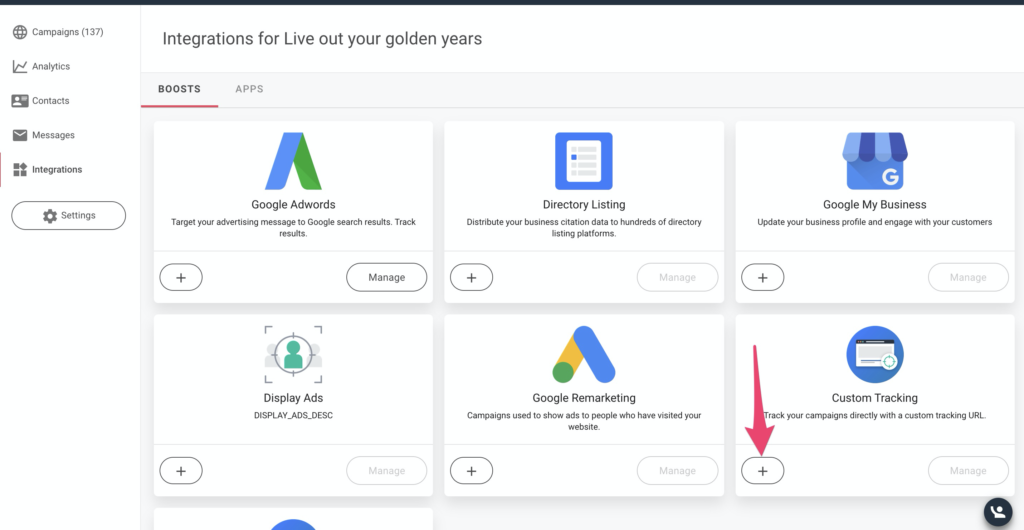
Click on the + button for the “Custom Tracking” boost.
Step 2.
Enter the campaign name and source of your choice. For example if you are running an social media campaign for summer you might want to call the campaign ‘summer-deal’ and the source would be ‘facebook’:
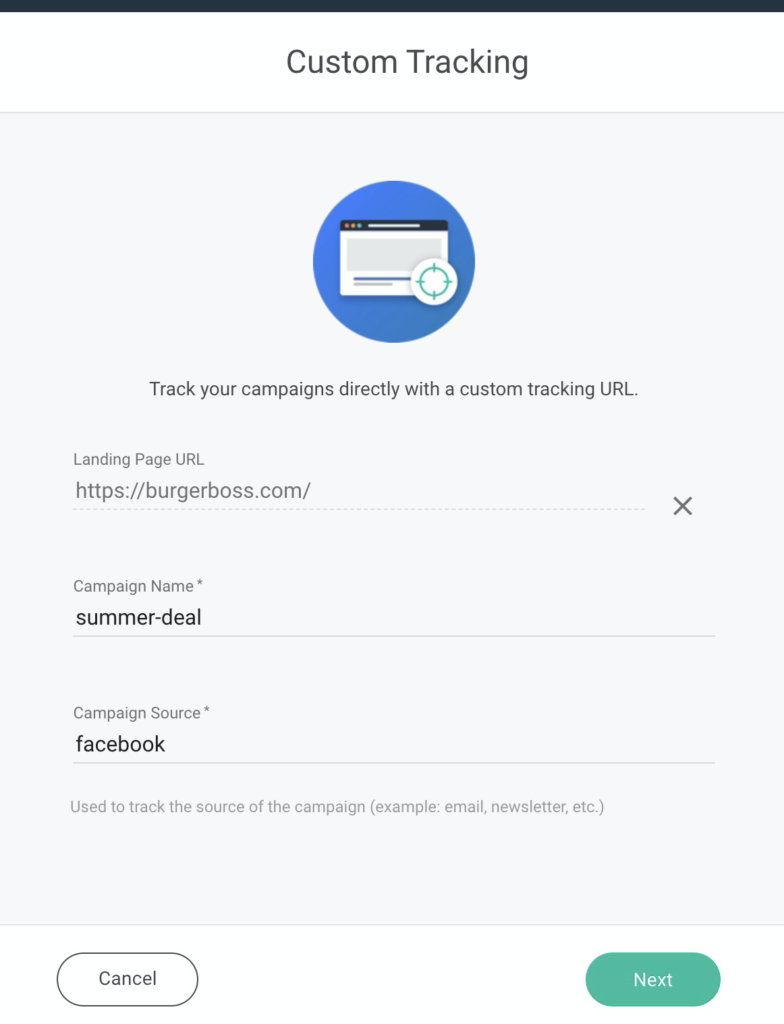
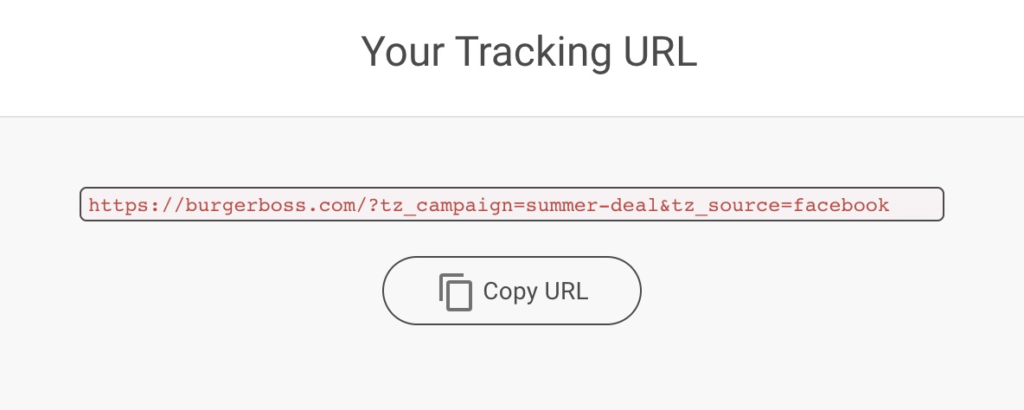
Once you click next the system will auto-generate a custom tracking link for you:
Step 3.
Go ahead and place the tracking link on the external campaign. In this example you would add it as the destination URL for your Facebook campaign.
Step 4.
Once you save the campaign a new report will be created showing the stats for that specific link: